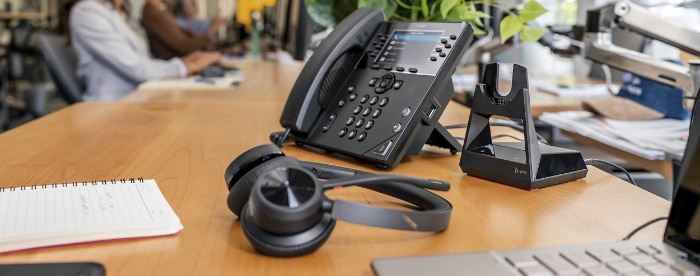
| The Polycom VoiceStation™ 100 Professional Teleconferencer
by Jim Hanks
Most speakerphones are immediately recognizable from the other end. Say hello
and there's a tinny, far-off "Hello," and thenit seemsan
echoing of the rest of your caller's words through the office before they're
transmitted to you. Worse, if the speakerphone isn't full duplex, you have to
alternate your conversation to avoid cutting each other off. In short, speakerphones
can be disappointingly unprofessional.
The problem isn't the concept, but rather, the technology. Many speakerphones
work fine when you're talking to friends but they aren't always suitable for
business purposes. In the past, you could buy an audioconferencing unit and
get business-quality voice transmissions, but the system was typically intended
for large conference roomsand often required a large, even thousand-dollar
investment.
Having recognized this hole in the market, Polycom now offers its VoiceStation
100. With full-duplex capabilities, 3 noise-canceling microphones, and a
professional look, this new unit delivers high-quality audioconferencing performance
at the small-office level. At a down-to-earth $299.99, it's a great addition
to any small or ordinary-sized room.
Setup

Setup of the VoiceStation 100 is incredibly easy. First, insert the VoiceStation's
power supply plug into a nearby outlet. On this plug you will see 2 integrated
phone ports. Take one of the 2 supplied phone cords from the VoiceStation box
and connect it to one of the power plug's phone ports, and into VoiceStation.
Now take the other phone cord from the box and plug that into the other open
phone port on the power supply plug, and into a nearby phone jack. That's it.
The only restriction of this system is that your incoming phone signal must
be analog.
Features
With 3 highly sensitive microphones positioned around the triangular-shaped
unit, the VoiceStation 100 is ideal for meetings with 4 people or fewer. The
microphones eliminate background noise and deliver 360° of coverageyou
will never have to raise your voice to be heard. And with its full-duplex properties,
multiple people can talk at the same time for a free-flowing conversation. Through
the unit's speaker, you'll hear rich, full incoming sound.
If you haven't used an audioconferencing unit before, you should know that
it's basically no more complicated than a regular speakerphone. At least, this
one isn't. To make a call, simply press TALK, dial your number (the tones for
which are politely reduced in volume), and you're ready to conference.
In fact, ease of use is one of the best things about the VoiceStation. Besides
the dialpad, there are only 7 buttons: TALK, REDIAL, FLASH, VOLUME UP, VOLUME
DOWN, MUTE, and HOLD. Three indicator lights positioned around the unit indicate
just which one of these modes is in operation. When a call is in progress, the
indicator lights will remain green until one of two buttons is pressed: MUTE
turns the lights red to show that the microphones are off; and HOLD makes the
lights flash red until the call is resumed. When the unit rings for an incoming
call, you'll see flashing green lights.
External ports
If you already have a regular telephone, a fax machine, or a modem plugged into
your only phone jack, don't worry. Included on the power supply jack is an extra
port for such purposes. Also on the power jack is an AUX OUT port. This RCA-type
connection allows you to run both sides of a conference call into a recorder
or PC, to broadcast streaming audio over the internet, for example.
A final word
If you need a conferencing unit for larger meetings (with more than 4 people),
you might want to consider one of the Polycom
SoundStations. These units offer high-quality audioconferencing and can
be expanded (with external mics) to accommodate as many as 25 participants.
Otherwise, the VoiceStation 100 will give you clear audioconferencing while
eliminating the headaches associated with speakerphone conversations, at a cost
of only $299.99. For any office or small conference room, that's an excellent
investment.
| What I Liked Best |
|
What I Didn't Like |
- Easy setup
- Three sensitive, noise-canceling microphones
- Very good sound output
- Data and audio ports
- Low price
|
|
- Analog phone line required
|
|