|
Mobile Communication for Your Business
by Brian McConnell
Few people spend their entire day chained to their desks anymore. Once a luxury, mobile communication
has become an essential part of most businesses. People require the ability to
communicate while they move around within the organization and the outside world.
The types of communication have also become more complex. Where people once communicated
primarily by voice, in today's world text, data, and video are playing an increasingly
important role.
This article explains how you can outfit your organization with state-of-the-art
mobile communication technology, and how you can do so on a modest budget. Mobile
does not necessarily mean expensive. In fact, when you look at the hidden costs
of pay phones, hotel phones, and other obstacles to communication, mobile communication
services are often cheaper than their hardwired counterparts.
Voice communication
Intra-office
The most important mobile communication technology is voice. The ability to
make and receive phone calls regardless of your physical location greatly increases
your availability to co-workers and customers. Even if your job doesn't require
you to travel, you may be surprised to learn the extent to which you are unavailable.
Unless you are literally chained to your desk, you probably spend at least a
half-hour to an hour (over 10% of your day) wandering around your office, heading
out for a smoke or a cup of coffee, etc. Being accessible while you run minor
errands can increase productivity by cutting down on phone tag, delayed replies,
and such.
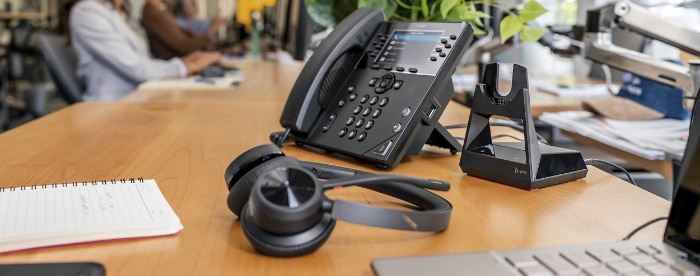
More and more business telephone systems are providing support for wireless
handsets, especially systems geared toward the small office/home office market.
These systems allow users to mix and match wireless and hardwired phone handsets
within an intercom system. The cordless phone handsets typically work over a
short range, up to a few hundred feet. Some systems create a sort of "poor
man's cellular network" that allows cordless phone users to roam throughout
a large campus. These phones generally do not work on cellular networks, and
are not a replacement for cell phones. What they do is enable users to make
and receive calls while they are away from their desks, but still in the office
or on the company campus.
This technology can be very cheap or very expensive, primarily depending on
the size of your office and the type of system you use. If you are running a
small office with 12 or fewer people, you can buy off-the-shelf cordless systems
for analog phone lines from AT&T, IBM, and Panasonic with an average cost
of $200 per user or less. These systems are available in both 900 MHz and 2.4
GHz versions.
Larger installations will require a wireless-capable PBX. This requires a much
larger upfront investment, and often involves replacing the company's existing
phone system. This can be time-consuming and expensive, though certainly worth
considering if the existing system is nearing the end of its useful life. One
such system is the EnGenius cordless phone system that starts with a system
at around $380 or so, with add-on cordless handsets at $170 each. (You can add
up to 35 additional handsets in all.)
On a smaller scale, Uniden has come out with a new PBX cordless phone
that's headset compatible, at about $300.
Outside the office
When venturing outside the office, a cellular phone is an essential tool for
mobile workers. New cell phones combine the functions of a phone, personal digital
assistant (PDA), and wireless internet browser. So, not only can you make and
receive phone calls, you can also manage your appointments, check e-mail, and
access information via the web. All from a pocket-sized device. Nextel, for
example, offers a great deal of options in all of these areas, with monthly
plans starting at $60 the last time I checked. (More on mobile e-mail in a moment.)
Cellular phone service has proliferated worldwide and is now a commodity product.
Users in most metropolitan areas can choose among 3 or more service providers.
Cellular phone service is still generally more expensive than standard long-distance
service (20-40 cents per minute versus 5-10 cents per minute). However,
the benefits of mobility outweigh these costs for most users. Besides, most
cell phone users do not engage in hour-long chats while lounging on their sofas.
The best mobile calls are short, sweet, and to the point (and thus not expensive).
Here are some things to consider when shopping for cell phone service:
- Buy a digital phone. Forget about analog service. It is outmoded and on
its way out.
- Do you need a simple, basic phone for infrequent use, or will you be using
your phone a lot? If you'll only sporadically use the phone, go with a basic,
entry-level phone. If you'll be a power user, consider some of the new cell
phone/PDA hybrids. They are very useful if you spend a lot of time out of
the office.
- How much time will you spend on the phone? Most cell phone companies allow
you to buy large blocks of airtime in so-called "bucket" plans.
For example, $70 per month gets you 1000 minutes per month of airtime. If
you go over that threshold, you pay for additional minutes on a toll basis,
typically at 25 to 40 cents per minute. If you can guesstimate your usage
accurately, this is a very economical way to buy cellular service.
- Will you travel overseas? If so, look for a provider that operates a GSM
cellular network (i.e., Pacific Bell Wireless, VoiceStream). GSM phones work
in dozens of countries worldwide, so your calls can follow you almost anywhere
you are likely to go.
Bottom line, if travel is part of your job, even if you're just traveling across
town for meetings, you should carry a cellular phone. The phones and service
are now cheap enough that the cost of the calls is less than the cost of the
lost productivity while you are out of the office.
Tip: Cell phones are especially useful when combined with call forwarding,
so that calls to your desk phone automatically roll over to your cell phone
when you are out and about. This is generally easy to set up on most phone systems
these days.
E-mail
E-mail has become the primary mode of communication within many businesses.
It has replaced the office memo, and in many cases, has replaced the phone call
as the primary way of contacting someone. E-mail is increasingly being used
to communicate routine matters where an immediate response is not required.
This is because e-mail is persistent (it stays in your inbox indefinitely) and
non-obtrusive (a phone call is distracting, receiving an e-mail is not). A phone
call, on the other hand, can be a disruptive event, especially if the caller
is interrupting a meeting to ask a question that did not require an immediate
reply.
The problem with e-mail is that, until recently, it was only accessible from
a desktop PC. If you were at a meeting with a client, you would not see an urgent
e-mail until you returned to your office, perhaps several hours later. Fortunately,
next-generation wireless networks make it possible to access your inbox virtually
anywhere. Remote access to e-mail is now as easy as pushing a button on your
cellular phone. (Nextel phones let you retrieve e-mail this way.)
You can access your e-mail via 3 different wireless technologies: 2-way
paging networks, wireless PDAs, and web-enabled cell phones. Each has its relative
benefits and weaknesses.
1. Two-way paging
Paging networks have been around since the 1980s. Originally designed to deliver
very short numeric or alphanumeric messages, paging networks have evolved to
become e-mail networks. Several companies have adapted 2-way paging networks
to provide users with constant access to their company e-mail while they are
traveling.
One of the best known mobile e-mail service providers is Blackberry (http://www.blackberry.net).
The Blackberry pager allows users to send and receive e-mail via their Microsoft
Outlook system, and provides constant access to e-mail. The main benefit of
this system is the "push" delivery of e-mail. The user does not have
to remember to log in to check for messages. New messages are pushed onto the
pager as they arrive. Several other companies such as Arch Wireless offer similar
services, though Blackberry is the best known in this category. These services
generally cost $50 per month or less (pricing varies by service plan).
The downside of these devices is they duplicate functions found in most PDAs
and next-generation cellular phones. As a result, you may find yourself carrying
2 or 3 devices, each for a specific purpose. Although mobile e-mail is
useful, it does not eliminate the need for a cellular phone. So, at a minimum,
you'll be carrying a pager and a cell phone. If you need a Palm or Windows PDA,
add a third device to your belt clip/holster. This gets pretty unwieldy.
2. Wireless PDAs
Wireless PDAs, such as the Palm VII and the Compaq iPaq, enable you to access
a wide range of internet services, including e-mail, via a wireless internet connection.
If you need to perform a wide range of tasks such as checking inventory, placing
orders, checking news, and downloading e-mail, this is probably the best option
for mobile e-mail and internet access.
Windows-based devices, such as the iPaq, can also display certain types of
documents such as Word documents and Excel spreadsheets. This is especially
useful if you need to mark up a document or review changes on the go.
3. Web-enabled cell phones (WAP phones)
If you're looking for the ultimate all-in-one device, new cell phones combine
the functions of a phone, PDA, and wireless internet browser into a single pocket-sized
device. One of the best examples to date is Kyocera's cell phone/PDA
hybrid. The phone works on digital cellular networks, such as Sprint PCS, and
uses the Palm operating system to provide PDA and wireless internet functions.
It's a phone and a Palm Pilot. This means you can install and run your favorite
Palm applications on the phone (i.e., games, expense tracking, you name it).
In the future, watch out for phones that take this integration a step farther
with multimedia capabilities, specifically the ability to play MP3 files. Then
your phone/PDA will also be an MP3 player. Pretty nifty. Samsung already has
a phone/MP3 player combo called Uproar, though it does not have robust PDA functions.
Contacts, calendars, and files
Last but not least is the issue of how you manage information across all of
your devices at work, at home, and on the road. Take your address book, for
example. Ideally, you want your address book to be copied automatically across
all of your desktop and handheld devices. So when you need to look up a colleague
whose phone number you entered into your desktop PC, the same information is
also stored in your cell phone.
Until recently, this was difficult to do, and involved bulky cables, special
software, and lots of patience. Today, several companies are offering synchronization
services that make the process of updating, or syncing, information like this
painless and largely automatic.
One of the best services in this category is fusionOne (http://www.fusionone.com).
This service enables you to sync your address book, calendar, notepad, to-do
list, e-mail, and select files across all of your desktop PCs, handheld devices,
pagers, and cellular phones. So, if you enter a contact in Outlook, this information
will be automatically copied onto your PDA, cell phone phone book, and so on.
You no longer need to remember to recopy information into your desktop PC when
you return from a trip. You just put your phone in its cradle, run the sync
program, and you're done. Intellisync (http://www.intellisync.com)
is offering a similar suite of services.
Wrap-up
Being mobile no longer means unavailable. By combining these off-the-shelf solutions,
most of which are inexpensive, you can project the appearance of always being
available, no matter where you are.
|